The New Frontier of Social Engineering: How Scammers Are Weaponizing Apple’s FaceTime Ecosystem
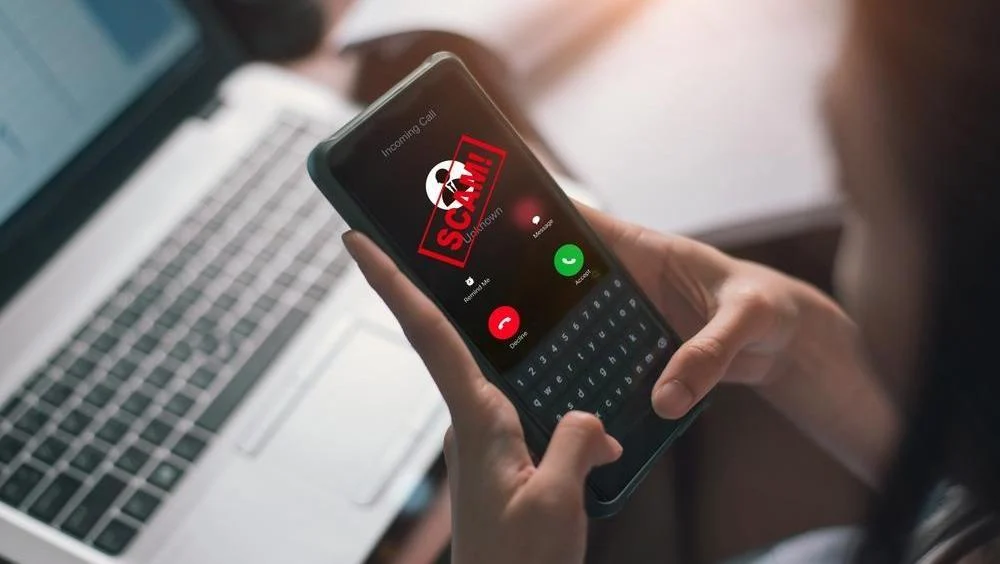
In an era where digital connectivity is seamless, the very tools designed to bring us closer to friends and family are being repurposed by sophisticated cybercriminals. Apple’s FaceTime, a cornerstone of the iOS experience known for its high-quality video and end-to-end encryption, has recently emerged as a primary vehicle for a new wave of social engineering attacks.
Apple and the Federal Trade Commission (FTC) have issued urgent warnings to the global user base, highlighting a surge in fraudulent activities that leverage FaceTime to bypass traditional security filters. These scams are not merely technical exploits; they are psychological operations designed to manipulate trust, create a sense of urgency, and ultimately drain the financial assets of unsuspecting iPhone and iPad users.
Main Facts: The Anatomy of a High-Tech Shakedown
The core of the current threat landscape involves "vishing" (voice phishing) and video-based social engineering. Unlike traditional phishing, which relies on static emails or text messages, these FaceTime scams involve real-time interaction, making them significantly more persuasive.
The Exploitation of Trust
Scammers typically impersonate authority figures from trusted organizations. These include:
- Financial Institutions: Posing as fraud prevention departments from major banks.
- Technical Support: Claiming to be Apple Support or Microsoft specialists addressing a "critical security breach."
- Government Agencies: Impersonating tax officials or law enforcement.
The Screen Sharing Trap
The most dangerous element of this trend is the misuse of FaceTime’s "SharePlay" or "Screen Share" features. By convincing a user to share their screen under the guise of "troubleshooting" or "verifying a transaction," the attacker gains a front-row seat to the victim’s private data. This allows them to see:
- Two-factor authentication (2FA) codes as they arrive in SMS.
- Banking app interfaces and account balances.
- Passwords as they are typed (often visible briefly or through "show password" toggles).
The Global Scope
While the warnings have been highlighted in specific regions like Indonesia and North America, the methodology is borderless. The FTC reports that imposter scams remain the most common form of fraud, with financial losses totaling billions of dollars annually. The transition to FaceTime represents a tactical shift to evade the "Spam" folders of email services and the "Spam" filters of traditional telephony.
Chronology: The Lifecycle of a FaceTime Fraud Operation
To understand how to protect oneself, it is essential to deconstruct the step-by-step process used by these criminal syndicates. These operations are rarely random; they are calculated sequences designed to move a victim from a state of calm to a state of panic.
Phase 1: The Initial Hook (The SMS Lure)
The scam almost always begins with a text message (SMS or iMessage). This message is designed to trigger an immediate emotional response. Typical templates include:
- "Urgent: Unusual activity detected on your [Bank Name] credit card. Call [Number] immediately to authorize or decline."
- "Your Apple ID has been logged into from a new device in [Foreign City]. If this wasn’t you, contact support at [Number]."
Phase 2: The Transition to Voice
When the victim calls the provided number, they are greeted by a professional-sounding "agent." This individual often uses industry jargon to build credibility. They confirm the victim’s name and perhaps some publicly available information (harvested from data breaches) to solidify the illusion of legitimacy.
Phase 3: The FaceTime Pivot
This is the critical turning point. The "agent" claims that to resolve the issue securely, they need to move the call to a "secure video diagnostic line" or a "verified FaceTime session."
The psychological trick here is that users often view video calls as more "human" and therefore more trustworthy than a voice call. Once the FaceTime call is established, the scammer may even wear a uniform or sit in a background that looks like a corporate office to further the deception.
Phase 4: The Screen Sharing Request
The attacker informs the victim that they need to "guide" them through a series of security settings. They instruct the victim to tap the "Share My Screen" button.
- The Bank Scam Version: The victim is told to open their banking app to "cancel the fraudulent transaction." In reality, the scammer is watching the victim log in, capturing their credentials and watching where the money is located.
- The Tech Support Version: The victim is told to go into Settings to "remove malware." The scammer directs them to change passwords or disable security features like "Find My iPhone."
Phase 5: The Heist
With the screen shared, the scammer directs the victim to transfer funds to a "safe recovery account" or "government-protected vault." Because the scammer can see the 2FA codes appearing at the top of the screen, they can also log into the victim’s accounts from their own computer simultaneously, performing unauthorized transfers in real-time while the victim is still on the call.
Supporting Data: Why This Method is Exploding
The shift toward FaceTime and video-based fraud is backed by alarming statistics and technological shifts in the cybercrime industry.
The Success Rate of "Vishing"
According to data from the FTC, consumers reported losing more than $10 billion to fraud in 2023, a 14% increase over the previous year. Imposter scams were the most reported category. Video calls increase the success rate of these scams because they bypass the "skepticism barrier" that users have developed for emails.
The "Human Firewall" Vulnerability
Cybersecurity experts note that while Apple’s hardware and software (the "Technical Firewall") are incredibly difficult to hack, the "Human Firewall" remains vulnerable. Scammers realize that it is easier to talk a user into giving up a password than it is to crack a 256-bit encryption.
The Rise of Remote Access Tools
The integration of screen-sharing features into mobile OSs was intended for collaboration, but it has inadvertently provided a native "Remote Access Trojan" (RAT) capability for scammers. Previously, scammers had to convince victims to download third-party apps like AnyDesk or TeamViewer. Now, the tool is built directly into the iPhone’s native calling app.
Official Responses: Guidance from Apple and the FTC
In response to the proliferation of these tactics, Apple has updated its official support documentation to provide clear, actionable steps for users to protect themselves and report fraudulent activity.
Apple’s Official Stance
Apple emphasizes that its employees will never contact a user via FaceTime to request a password, a verification code, or a screen-sharing session to resolve a security issue.
Reporting Mechanism:
Apple has established a dedicated channel for reporting these incidents. If a user receives a suspicious FaceTime call from a number claiming to be a bank or a corporate entity, Apple instructs them to:
- Take a screenshot of the call log or the incoming call screen.
- Email the screenshot and details to [email protected].
FTC Recommendations
The Federal Trade Commission advises a "Stop, Look, and Listen" approach:
- Stop: Do not act immediately. Scammers rely on "high-arousal" emotions (fear or excitement).
- Look: Check the source. A bank will not call you on FaceTime.
- Listen: If they ask for payment via gift cards, wire transfers, or cryptocurrency, it is 100% a scam.
Banking Industry Protocols
Major financial institutions have issued statements clarifying that while they may use apps for banking, they do not use FaceTime for customer service. They advise customers to only use the phone numbers listed on the back of their physical debit/credit cards or on their official monthly statements.
Implications: The Future of Digital Privacy and Trust
The weaponization of FaceTime has broader implications for the tech industry and the way we perceive digital security.
1. The Erosion of Brand Trust
Apple has long marketed itself on the pillars of privacy and security. When its native features become the primary tools for multi-million dollar thefts, it creates a "trust deficit." Users may become hesitant to use legitimate features like SharePlay, hindering the adoption of new collaborative technologies.
2. The Need for "In-Call" Warnings
Security analysts are calling for OS-level changes. Just as iPhones now display a "Report Junk" option for unknown SMS, there is a push for Apple to implement "High-Risk Call" warnings for FaceTime. If a user initiates screen sharing with a contact not in their address book, a prominent, unblockable warning should appear, explaining the risks of fraud.
3. The Digital Literacy Gap
This trend highlights a widening gap in digital literacy. While younger "digital natives" might spot a FaceTime scam quickly, older populations—who often hold more significant assets—are being disproportionately targeted. This necessitates a more robust public education campaign by both tech companies and governments.
4. The Evolution of Deepfakes
The next evolution of this threat is already appearing: AI-generated Deepfakes. Scammers are beginning to use AI to mimic the face and voice of a victim’s boss or family member during a FaceTime call. When combined with the screen-sharing tactics mentioned above, the potential for catastrophic financial loss increases exponentially.
Final Safety Checklist for Users
To ensure you do not fall victim to these evolving threats, adhere to the following rules:
- Never Share Your Screen with anyone you do not know personally and haven’t verified through an independent channel.
- Ignore the "Urgency": If a caller says your money is in immediate danger, hang up and call your bank using the number on your card.
- Protect Your 2FA: Never read a "one-time code" to anyone over the phone or video.
- Update Software: Ensure your iOS is up to date, as Apple frequently releases security patches that may include protections against known scamming techniques.
The convenience of FaceTime is a hallmark of modern communication, but as these warnings from Apple and the FTC suggest, that convenience comes with the responsibility of hyper-vigilance. In the digital age, your most effective security tool is not an app or a firewall—it is your own skepticism.